Our AI chatbot for website visitors replies in seconds, 24/7. It welcomes new users, answers common questions and helps them reach the right page. It can collect name, email, phone and needs, then send every chat to Excel, WhatsApp or Telegram. Book a free demo to see it live.
Share a few details and we’ll suggest the right AI agent setup for your business.
Give your website a single AI agent that helps visitors from first question to follow-up.
Reply to questions about product, pricing, orders and basic support in one chat window. The AI customer service chatbot handles repeat chats so your team can focus on real problems.
Ask a few simple questions and collect name, email, phone and intent while people chat. Every lead is saved in a clean format and sent to your sheet or CRM for the sales team.
Send short messages, links or next steps after the first chat without manual copy paste. Connect channels like email or WhatsApp so visitors get updates even when they leave the site.
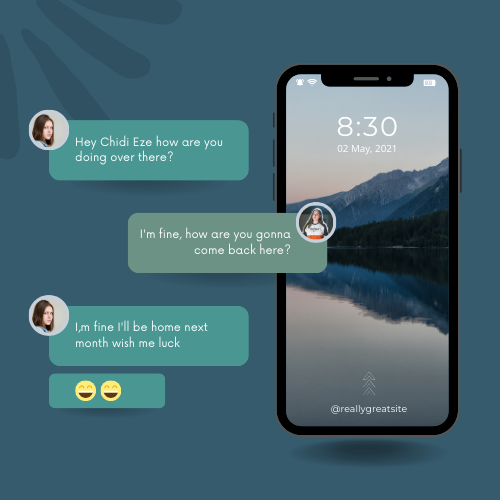
Connect one AI chatbot to your website, WhatsApp, Telegram and other channels. It gives fast replies, checks basic details and shares updates without switching tools.
Show simple product or plan suggestions based on what visitors ask. The chatbot can share links, prices and call-to-action buttons so people can buy or book in a few clicks.
.png)
.png)
Give customers clear, human-like answers all day and night without hiring a bigger team.
Share delivery updates, policy changes or downtime notes inside the chat window. Users see clear messages at the right moment, so support tickets stay low.
.png)
A Chatbot AI Agent store can guide shoppers from first visit to checkout. It answers size, stock and delivery questions in chat, so fewer people drop off. The bot can show simple product suggestions, recover open carts and collect leads for future offers. As an AI customer service chatbot it also cuts the number of “Where is my order?” tickets.
Banks and fintech apps use an AI customer service chatbot to handle everyday tasks like balance checks, card issues and branch info. Customers get quick help inside the website or app without calling support. The bot can walk users through simple forms, share clear steps for KYC, and then pass tricky cases to a human agent with full chat history. This saves time for both sides.
Clinics can use an AI chatbot for website patients to answer common questions about services, insurance and reports. Patients can book, move or cancel visits in chat instead of waiting on the phone. The bot sends prep steps and reminders so fewer people miss slots. When a query looks serious, the AI customer service chatbot can ask a few checks and then route it to the right doctor or desk.
For hotels, tours and travel brands, an AI chatbot for website visitors helps with dates, rooms, tickets and simple policy rules. Guests can ask about check-in times, baggage or local tips and get clear answers at any hour. The bot can suggest upgrades, late checkout or add-ons while they plan.
SaaS teams use an AI chatbot and in-app widgets to guide new users. It explains features, plans and basic “how do I” steps right where users get stuck. The bot can tag issues, push helpful docs and collect feedback in the same chat. For billing or account questions, the AI agent gathers key details and hands them to your team, so replies are fast and on point.
Schools and course platforms can use an AI chatbot to answer questions about programs, fees, dates and logins. New learners can discover the right course with a few simple questions in chat. The bot can send class links, deadlines and exam reminders so no one misses important updates.
Share your use-case and we’ll design a chatbot flow + automation plan tailored for your business.
We integrate the Chatbot AI Agent with your existing channels – so you don’t have to change how you work.
Add the agent to your site to convert more visitors into leads and reduce bounce from ad campaigns.
Connect the bot with WhatsApp or Telegram for fast customer communication and updates.
Sync conversations with your CRM, ticketing tools or internal dashboards for full visibility.
Subscribe for tips, use-cases and new ideas for AI chatbots and automation.