
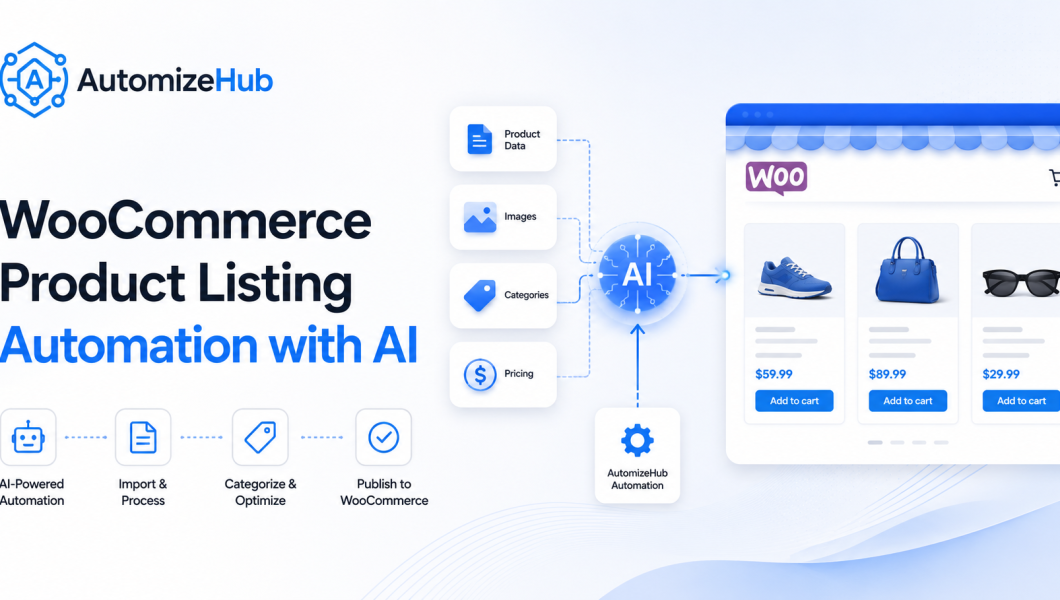
WooCommerce product listing automation means using an AI agent to create product pages in WooCommerce without doing every task by hand.
The AI agent can take product data from a sheet, database, API, or internal system. Then it can create product titles, descriptions, prices, categories, images, files, SEO fields, and product pages inside WooCommerce. This helps online stores save time, reduce manual work, and publish products faster.
At AutomizeHub.ai, we build AI agents and automation systems that help businesses remove repetitive tasks from their daily work. This guide explains how a WooCommerce product listing automation system can work in a simple and safe way.
If you want to build this automation step by step, read our full guide on how to create a WooCommerce product listing AI agent in n8n.

What Is WooCommerce Product Listing Automation?
WooCommerce product listing automation is a system that adds products to your WooCommerce store automatically.
Normally, a person has to do many small tasks:
- Open WordPress
- Go to WooCommerce products
- Add product title
- Add description
- Add short description
- Select category
- Add price
- Add product image
- Add downloadable file if needed
- Add SEO title and meta description
- Save or publish the product
If you have only 5 products, this is easy. But if you have hundreds or thousands of products, this becomes slow and boring. That is where an AI agent can help. The AI agent can read your product data, prepare the content, upload files, set the right category, and create the WooCommerce product for you.
Read Also: What Is Agentic AI in Security and Fraud Prevention?
Why Online Stores Need Product Listing Automation
Many store owners lose time because product listing is a repeat task. Every product needs almost the same kind of work. The name changes, the price changes, the category changes, and the details change. But the process stays the same. With AI product listing automation, your team can work faster.
It saves time
Your team does not need to copy and paste product details again and again.
It reduces mistakes
Manual work can create errors. A person may select the wrong category, forget the image, miss the file, or add the wrong price. Automation can follow fixed rules.
It keeps product pages consistent
Every product page can follow the same format. This helps users understand your products faster.
It helps SEO (Search Engine Optimization)
The AI agent can create SEO titles, meta descriptions, focus keywords, and clean product content. This makes each product page easier for search engines to understand.
It helps your store grow
When product listing is fast, you can add more products without hiring more people for data entry.
How WooCommerce Product Listing Automation Works
A WooCommerce product listing automation system can be built in many ways. The setup depends on your business data, product type, and store rules.
Here is a simple way to understand it.
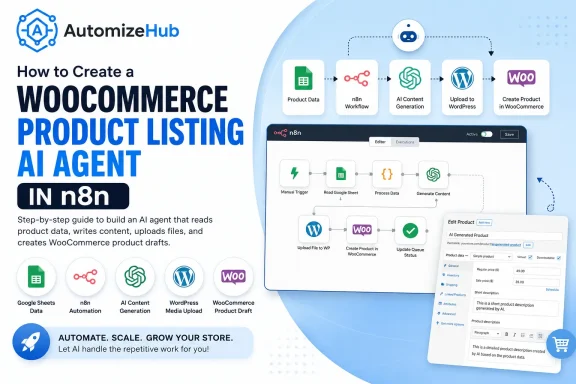
Step 1: The AI agent reads product data
The product data can come from a Google Sheet, database, API, CRM, ERP, or any other internal system.
This data may include:
- Product name
- Category
- Price
- Product image
- Product file
- Product type
- Product details
- SEO details
The AI agent checks this data before creating the product.
Step 2: The system checks if the product is already in the queue
A good automation should not create duplicate products.
So the system can first check the product queue. If the product is already created, it will skip it. If the product is pending, it will process it.
This makes the automation safer.
Step 3: The system applies rules
Every store has rules.
For example:
- Which product should go in which category?
- Which image should be used?
- What price should be added?
- Should the product be draft or published?
- Should the product be downloadable?
The automation can follow these rules before it creates the product.
Step 4: The AI writes product content
The AI agent can create useful product content from the given data.
It can write:
- Product title
- Short description
- Full description
- SEO title
- SEO meta description
- Focus keyword
The content should not be stuffed with keywords. It should be clear, helpful, and easy to read.
Step 5: The file or image is uploaded
If the product needs an image or downloadable file, the automation can upload it to WordPress Media.
After upload, the system gets the media link or media ID. Then it can attach that image or file to the WooCommerce product.
Step 6: The product is created in WooCommerce
After the content, price, category, image, and file are ready, the AI agent creates the product in WooCommerce.
The product can be created as:
- Draft product
- Published product
- Simple product
- Virtual product
- Downloadable product
This depends on your store setup.
Step 7: The status is updated
After the product is created, the automation updates the status.
For example:
- Done
- Failed
- Processing
- Error message
- Product link
This helps your team track what happened.
What the AI Agent Can Create in WooCommerce
A smart AI agent can create a complete WooCommerce product page.
It can add:
- Product name
- Regular price
- Sale price
- Product category
- Product image
- Short description
- Full description
- Product attributes
- Downloadable file
- SEO title
- SEO description
- Focus keyword
- Custom product meta
This makes the system useful for many types of stores.
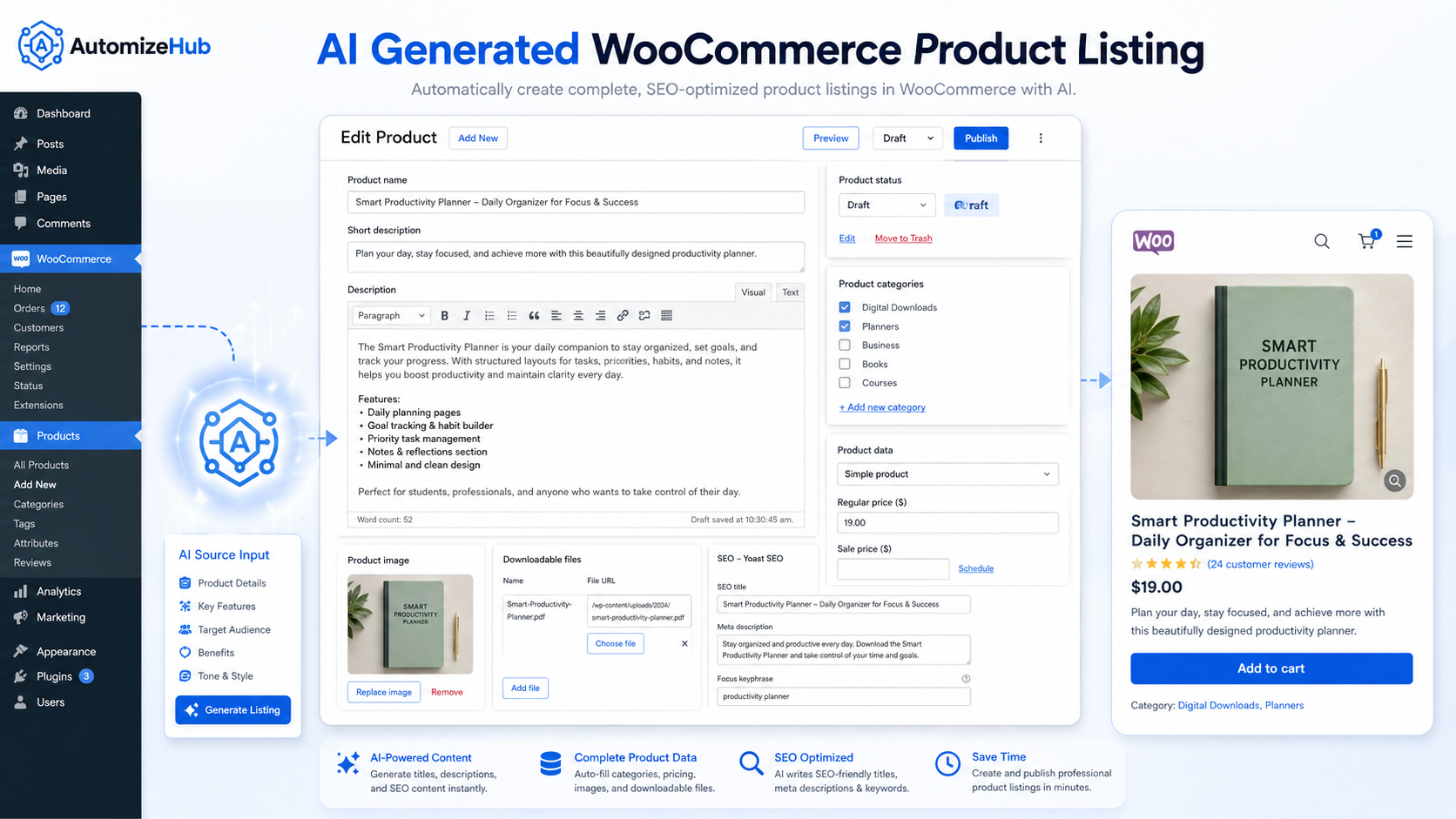
Who Can Use WooCommerce Product Listing Automation?
This automation is useful for many businesses.
Ecommerce stores
Stores with many products can use automation to create listings faster.
Digital product sellers
If you sell files, reports, templates, guides, data, or downloads, the system can attach the file to the product automatically.
Agencies
Agencies that manage WooCommerce stores for clients can save time by automating product uploads.
Manufacturers and suppliers
If product data is already in a sheet or internal system, automation can turn it into WooCommerce products.
Marketplace-style websites
Websites with large product catalogs can use this kind of AI agent to keep product pages updated.
Want to Build This AI Agent Step by Step?
This blog explained what WooCommerce product listing automation is and how it helps online stores. If you want the technical setup, we have also created a step-by-step guide that explains how to build a WooCommerce product listing AI agent using n8n, Google Sheets, AI, and WooCommerce API.
Simple Example of This Automation
Let us say your business has product data in a Google Sheet.
The sheet has product name, category, price, image ID, file link, and some basic details.
The AI agent can:
- Read the sheet
- Find pending products
- Apply category and price rules
- Create product title and description
- Upload or attach the file
- Add the product image
- Create the WooCommerce product
- Save the product link back to the sheet
Now your team does not need to create every product by hand.
Why This Is Better Than Manual Product Upload
| Manual Product Upload | AI Product Listing Automation |
|---|---|
| Takes more time | Saves time |
| Can create mistakes | Follows fixed rules |
| Hard to manage many products | Good for large product lists |
| Needs repeated copy and paste | Runs automatically |
| SEO fields may be missed | SEO fields can be added |
SEO Benefits of WooCommerce Product Listing Automation
WooCommerce product listing automation can also help with SEO.
Search engines need clear product pages. If your product pages are missing titles, descriptions, categories, or SEO meta details, they may not perform well.
An AI agent can help by creating a clean product structure for every listing.
Better product titles
The AI can create product titles that are clear and easy to understand.
Better descriptions
The AI can write simple descriptions that explain what the product is and who it is for.
Better internal structure
Products can be placed in the right category. This helps users and search engines.
Better meta details
The AI can create SEO title, meta description, and focus keyword for each product.
Better user experience
When all product pages follow a clean format, users can read and compare products easily.
AEO Benefits for AI Search and Answer Engines
AEO means Answer Engine Optimization. It helps your content get understood by AI search tools and answer engines. For AEO, your product pages and blog pages should answer clear questions.
For example:
- What is this product?
- Who is it for?
- What does it include?
- How can it be used?
- What problem does it solve?
When your product pages answer these questions in simple words, AI tools can understand them better.
This is why AI product listing automation should not only create pages fast. It should also create helpful pages.
What Makes a Good Product Listing Automation System?
A good system should be simple, safe, and easy to track.
1. Clear input data
Your data should be organized. A sheet or database should have clear fields.
2. Duplicate check
The system should check if the product already exists.
3. Error tracking
If something fails, your team should know what failed and why.
4. Draft mode
For safety, new products can be created as drafts first. Your team can review them before publishing.
5. SEO fields
The system should add SEO title, description, and focus keyword.
6. Human review
AI can do most of the work, but important stores should still review products before publishing.
Read Also: How to Build an AI Agent That Checks Your Website Daily (Without Manual Work)
Can This Be Built for Other Business Workflows?
Yes. This same type of AI agent can be built for many other workflows.
For example, it can help with:
- WooCommerce product upload
- Shopify product upload
- CRM data entry
- Report creation
- Lead routing
- Email alerts
- Order tracking
- Data cleaning
- Content generation
- File processing
The main idea is simple.
If your team is doing the same task again and again, an AI agent may be able to automate it.
You can also read more practical AI agent guides on our AI Agent Tutorials and Step-by-Step Guides page.
Why Build This With AutomizeHub.ai?
At AutomizeHub.ai, we build AI agents that work with real business tools.
We can connect your data source, AI model, automation workflow, and WooCommerce store in one smooth system.
We can help you build automation for:
- WooCommerce
- WordPress
- Google Sheets
- APIs
- CRMs
- Databases
- Internal business tools
- Custom AI workflows
Our goal is not only to build automation. Our goal is to build automation that saves time, reduces mistakes, and helps your business grow.
Final Thoughts
WooCommerce product listing automation with AI is a smart way to save time and create product pages faster. It can turn your product data into ready WooCommerce listings with titles, descriptions, prices, images, files, categories, and SEO fields. This is useful for ecommerce stores, digital product sellers, agencies, suppliers, and any business that manages many products. If your team is spending too much time on manual product listing, this type of AI agent can make your work easier. Want to build a similar automation for your business? Contact AutomizeHub.ai and tell us what task you want to automate. We can help you build a custom AI agent for WooCommerce product listing automation or any other business workflow.
FAQs
What is WooCommerce product listing automation?
WooCommerce product listing automation is a system that creates WooCommerce product pages automatically from your data. It can add title, description, price, category, image, file, and SEO fields.
Can AI create WooCommerce product descriptions?
Yes. AI can create product titles, short descriptions, full descriptions, SEO titles, and meta descriptions from your product data.
Can this automation create downloadable products?
Yes. The automation can attach a file to the WooCommerce product and make it a downloadable product.
Can products be created as drafts first?
Yes. Products can be created as drafts so your team can review them before publishing.
Is this only for WooCommerce?
No. A similar AI agent can be built for Shopify, CRMs, internal dashboards, reporting systems, and many other business workflows.
Can AutomizeHub.ai build this type of automation?
Yes. AutomizeHub.ai can build custom AI agents for WooCommerce product listing automation and other business automation needs.



No Comments